Voting systems for council chambers


A voting system in a council chamber allows the chair to run the meeting in line with the standing orders, and lets participants speak and vote without any additional devices. The result is available as soon as voting closes and is visible to the whole room. PROAV designs and deploys such systems in the meeting rooms of ministries, public institutions and companies – including the meeting room of the National Council of the Judiciary and the rooms of the Ministry of Education and Science. In this guide we explain how a voting system built into delegate units works, how it differs from a voting app and what needs to be agreed before you choose.
Selection based on how your meetings are run. Before choosing equipment, we analyse the standing orders, the number of participants, the types of vote and the layout of the room.
The system as part of the room. We integrate the delegate units with the sound system, cameras, screens and video conferencing, so that remote participants can hear every speaker.
Votes with instant results. The agenda and voting results are shown on screens in the room, and the data can be saved to the minutes.
Commissioning, training and service. We configure the meeting and voting software, train the room operators and provide service.
Solutions used:
Industries:
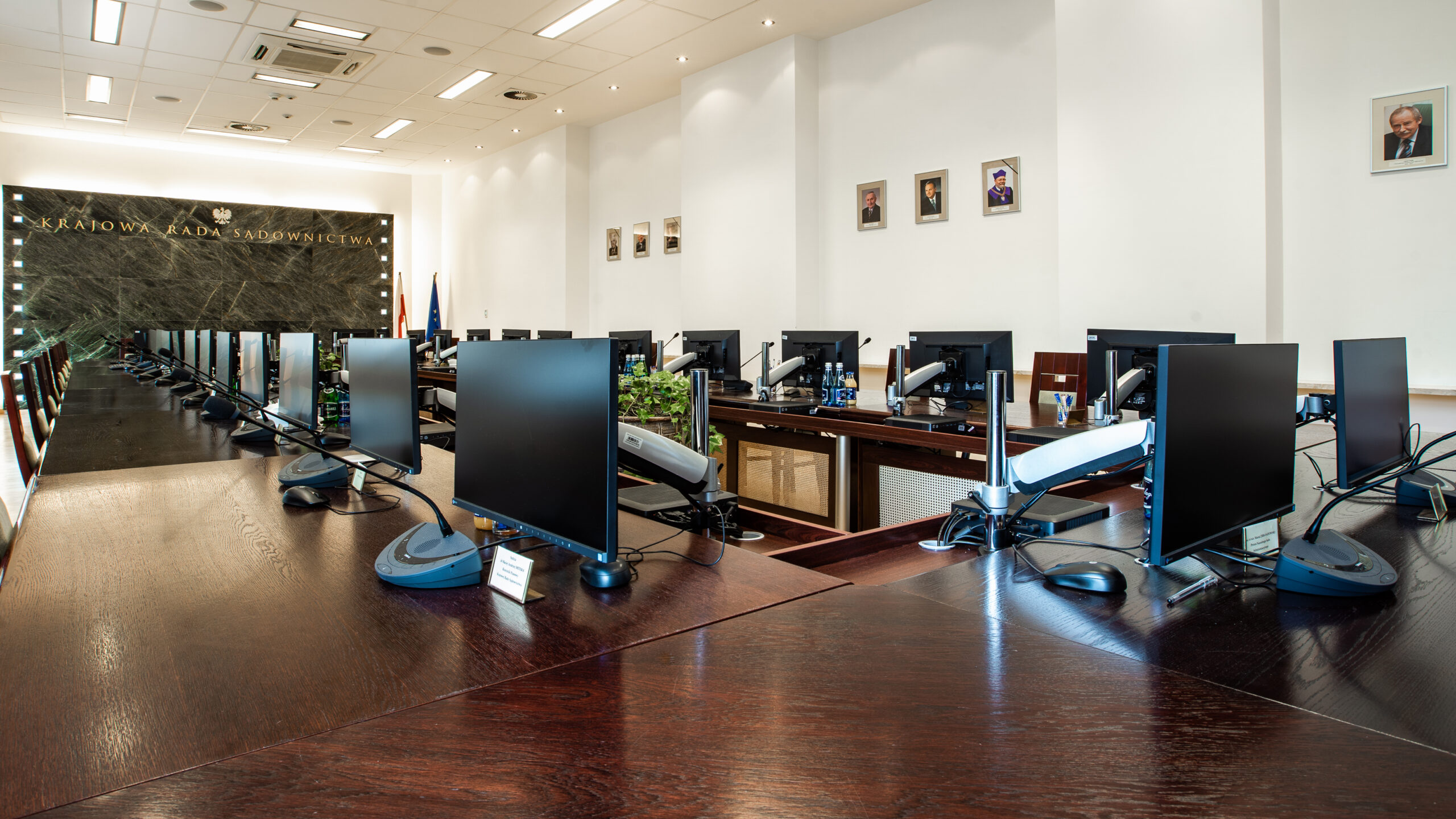
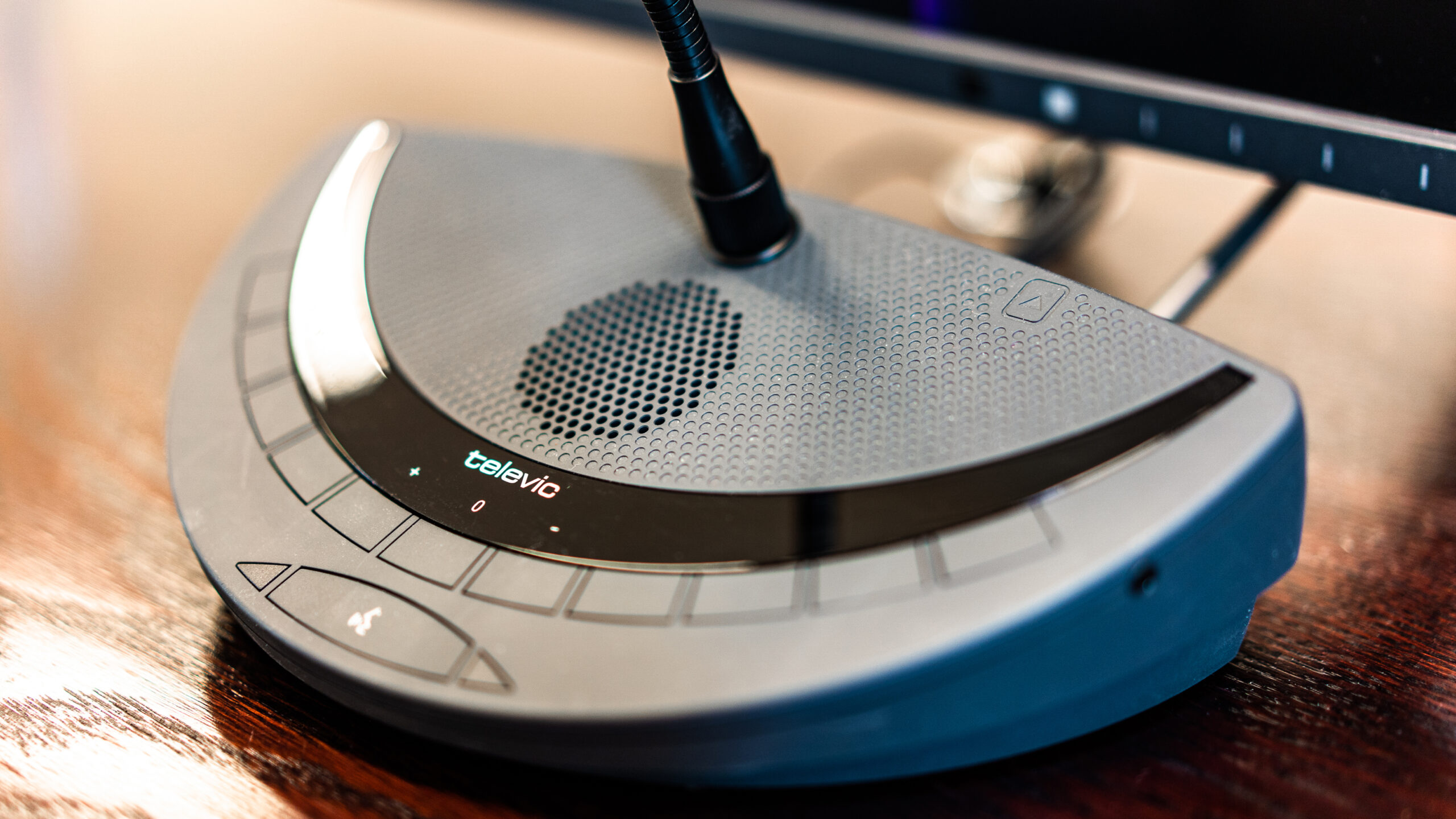
A voting system is part of a discussion (conference) system. It consists of a central unit, a chair unit and delegate units.
One unit, three functions. In the meeting room of the National Council of the Judiciary, each of the 28 Televic Confidea G3 delegate units has a built-in microphone, a loudspeaker, an RFID card reader and 3 voting buttons.
Clear sound at every seat. Thanks to the loudspeakers in the units, speech is easy to understand at every place around the table.
Moderation from the chair unit. The chair gives and withdraws the floor, sets the order of speakers and the speaking time limit, and mutes microphones when necessary.
Meeting management software. At the KRS, meetings are managed with Cocon software configured to the way the Council works: the agenda, the number of active units and voting.
Results on screen immediately. The agenda and voting results are shown on a large display in the room, so all participants see them at the same time.
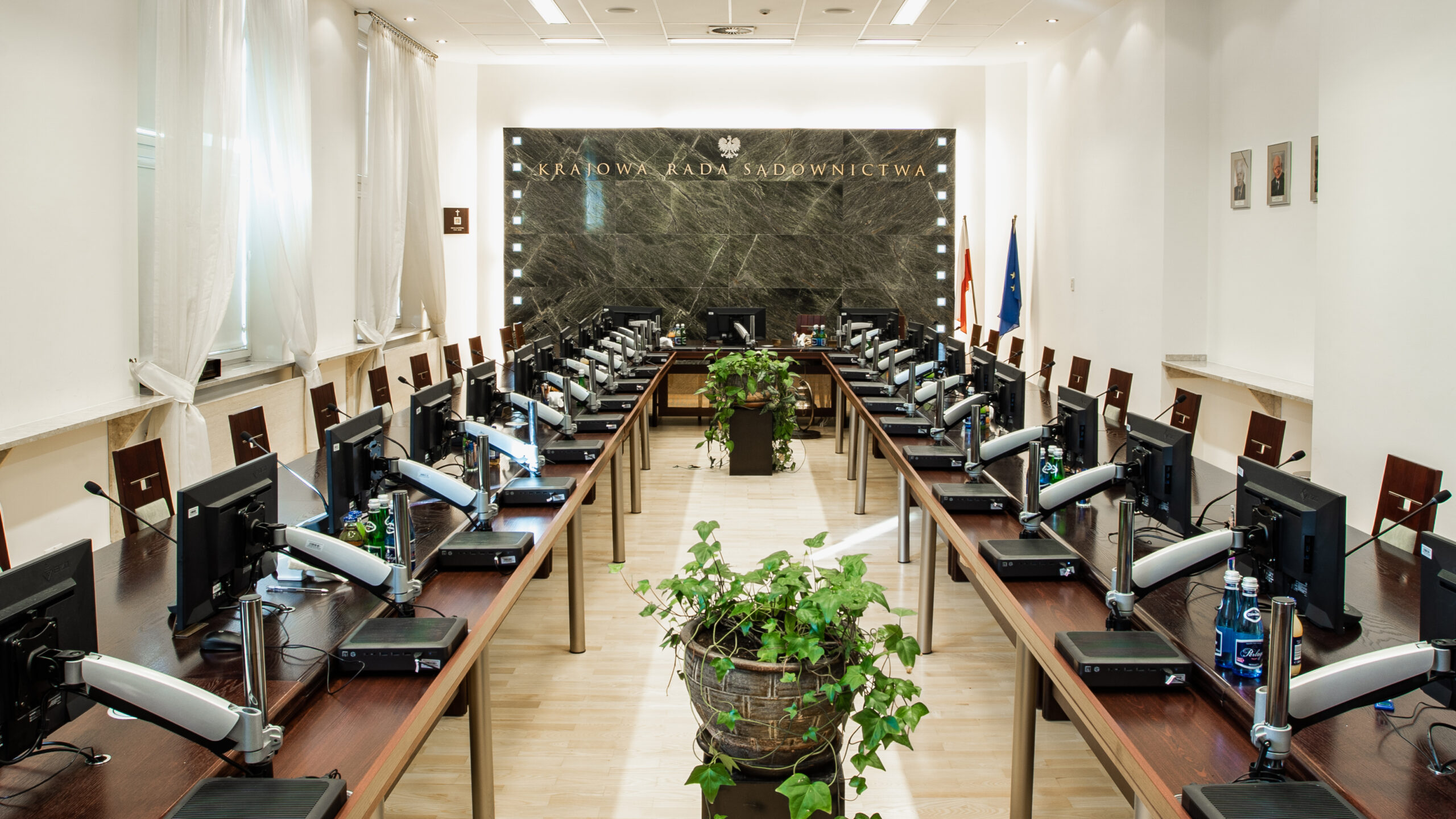

In public administration, a voting system supports council sessions, committee and board meetings, and the meeting rooms of ministries and public offices – with roll-call votes and minute-taking.
Documenting meetings. We take into account the requirements for recording speeches, saving voting results and exporting data to the minutes.
In line with the standing orders. We select the system's functions so that it supports the standing orders rather than introducing extra procedures.
An e-session or online voting app runs on participants' own devices – a laptop, tablet or phone – and also allows voting from outside the chamber.
A unit-based system works in the chamber itself: participants vote with a button or on the unit's screen, do not need their own device, and confirm their attendance and voting rights with an ID card. The result goes straight to the screens in the room.
The two can be combined. When the discussion system needs to work with meeting management software or run on the building network, we agree the scope of integration and security with the IT department.

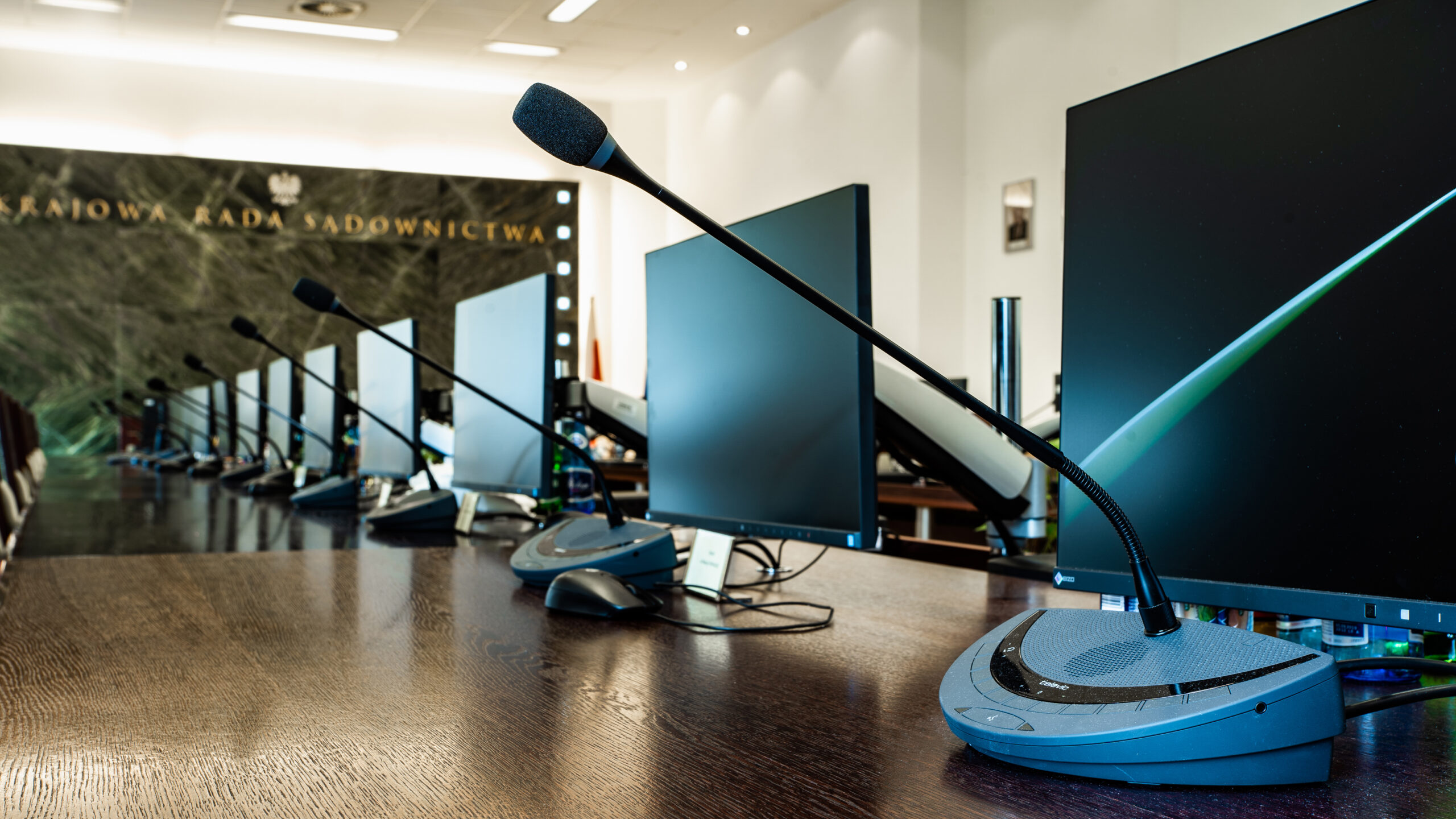
RFID cards. At the KRS, meeting participants are identified by 50 RFID cards prepared with a card programmer – the card confirms attendance and voting rights.
Encrypted transmission. Information transmitted in the Council's system is protected by a three-part AES 128-bit encryption protocol, which guards against attempts to steal data or manipulate voting results.
Open, secret and roll-call votes. For confidential meetings and secret ballots we recommend systems with encrypted transmission and access control for the units.
We recommend wireless units for rooms with changing layouts, historic buildings and places where running cables through floors and furniture is difficult.
Infrared instead of cables. In the two largest rooms of the Ministry of Education and Science we installed several dozen Taiden HCS-5300 units, which transmit audio via infrared. In such systems the signal does not leave the room, which matters for confidential meetings.
What we pay attention to. The range and stability of transmission in the specific room, the battery life of the units and how they are charged between meetings.

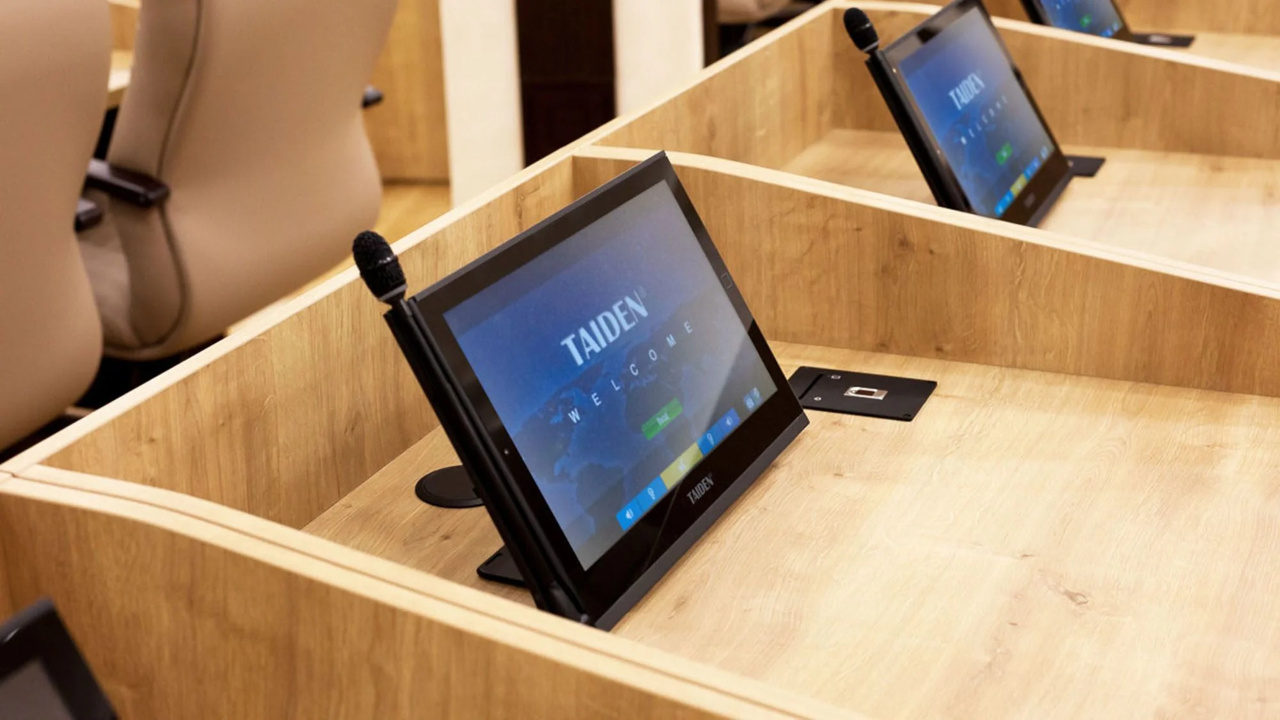
Delegates vote using buttons or the unit's touchscreen, and the results are available immediately in the meeting management software.
Which system to choose? In rooms used only for discussion, the Bosch CCS 1000 D digital system works well. When meetings include open and secret votes and participant identification, we recommend Bosch Dicentis, Televic Confidea or Taiden solutions.
When foreign guests take part in a meeting, we combine the discussion system with simultaneous interpretation: interpreters work at separate booths, and participants select the language channel on their unit or receiver and listen to the interpretation through headphones.
Recording and video conferencing. Cameras automatically turn to the person speaking, and audio from the units is fed to the video conference with remote participants and to the meeting recording.
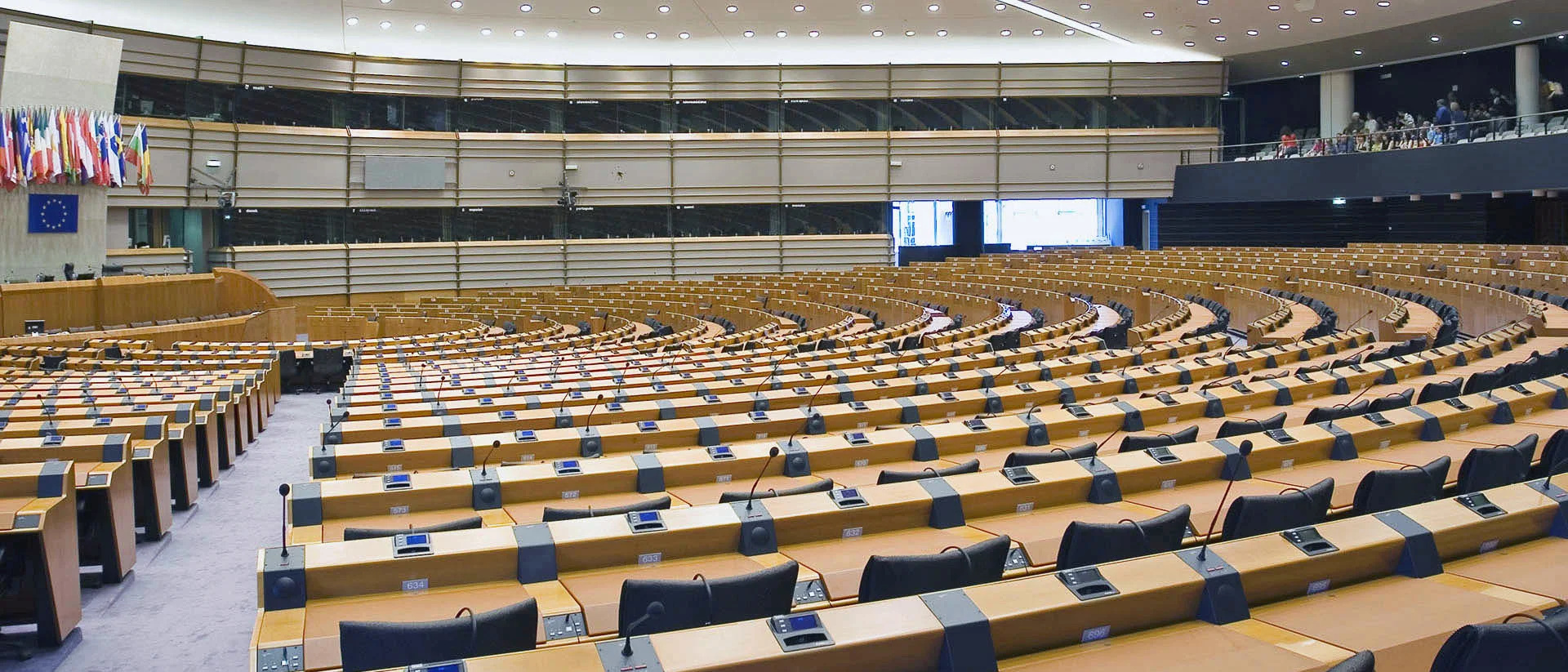
Delegates vote using buttons or the touchscreen on their unit, and the results are available immediately in the meeting management software and can be shown on screens in the chamber. The system supports open, secret and roll-call votes.
An app runs on participants' own devices and also allows voting from outside the chamber. A unit-based system works in the chamber itself: participants do not need their own device, attendance and voting rights are confirmed with an ID card, and the result goes straight to the screens in the chamber.
Attendance and voting rights can be confirmed with an ID card. In the meeting room of the National Council of the Judiciary, the units have RFID card readers and participants use 50 cards.
For confidential meetings and secret ballots we recommend systems with encrypted transmission and access control for the units. At the KRS, data is protected by AES 128-bit encryption. We agree the scope of security measures with the IT department.
We recommend wireless units for rooms with changing layouts, historic buildings and places where cabling is difficult to run – the units can be rearranged before each meeting. A wired system works well in rooms with a fixed layout.
Yes. We display the results on screens in the chamber and save them to the minutes. In public institutions we also provide for recording speeches and exporting meeting data.
How many positions and which roles? The number of delegates, chairs and interpreters determines the choice of central unit and the scope for later expansion.
What types of vote? Open, secret or roll-call votes require suitable units and software.
Fixed or mobile installation? This determines the choice between a wired or wireless system and the scope of work in the room.
What does the system need to work with? We agree the connection to the sound system, cameras, screens, video conferencing and minute-taking software.
For the first conversation, all we need is: the number of positions and roles (delegates, chairs, interpreters), the types of vote, whether the installation is to be fixed or mobile, and a photo or floor plan of the room. On this basis we prepare initial options and confirm the details during a site survey.
Planning a voting system for your council chamber?
Send us the number of positions and a description of your meetings – we will analyse the standing orders and the room layout and prepare priced system options. The initial quote and consultation with a PROAV engineer are free of charge.







